Posts

Showing posts with the label Toon Boom Harmony

Making it Rain

Image
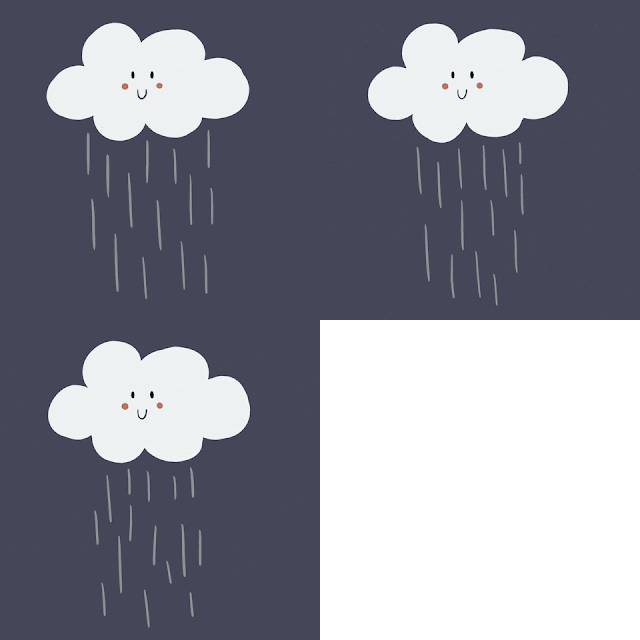
 From my previous post you can see that I have gotten the camera movements I wanted down. IN this post I want to break down my process for adding in cloud movement, darkening the sky, making the rain effects and adding in some lightning effects as well.  I started with some research into making rain effects happen in Toon Boom and it seems that there are several ways the program even has its own particle effects system if you pay for the higher tiers. Looking back though I may have to find a better tutorial for the effects that I want. I took reference from my previous shooting stars animation and am going to use the same technique for the creation of rain, but we can't have rain without clouds. Below you can see the mock up I did. Using keyframe animation I created cloud assets and then added a few more clouds and brought them in using keyframes. I also used the same lighting effect I created for the blinding light camera effect and repurposed it for a quick lightning effect....

Working on the Waterfall Animation

Image
 I spent the day working on the waterfall animation and plotting out what else needs to be done for the project, but for now here is just a video render of the animation I've got so far.  I also wanted to document my set up for animation but I have to get some pictures together for that so I'll include it in my next blog post. I came back and realized that I should be breaking down my process a bit more so I am going to slide that into the other part of this post.  Here is what the layout of toon boom Harmony looks like when I  have it open on my desktop as you can see this is currently what my project consists of. This main window is the camera and the drawing board I usually use the camera view because it lets me see both the background and what I am drawing at the same time it is a great frame of reference. Below the main screen is the timeline there are two separate timelines. the first is the actual frames of the animation where I can draw frame by frame the ent...

Testing the background with Basic Animation

Image
 I wanted to at least get a test look at what I plan on doing for this project up onto my blog now that I have updated my background. I still have several things I need to do like split the layers and everything to create separate assets and create a few more assets but I was able to successfully import my image and create a simple animation that I am going to polish in the next few weeks. I feel like this project is finally making a lot more headway, but I still feel that I definitely bit off a lot more than I can chew with this one.  To import the images into Harmony I exported the file from Procreate as a photoshop document so that the images in harmony would keep their separate layers.  The import process was pretty smooth. I did intend to import with multiple layers, but I choose to import as a single layer for right now so that I can just create a test animation for right now. I plan on messing with the separate layers later on this week.  I took the background...

Not much of Note

Image
 I wasn't able to accomplish much at the beginning of this week. I did a little more research into Digital animation programs. Looking back at both Toon Boom Harmony and Adobe Animate I was able to find a simple list of pros and cons for each program and found out while Adobe Animate is a good program it doesn't really have all the built in settings and background that Toon boom has and requires additional help from some of the other Adobe software such as using After Effects for lighting and technical effects. Toon Boom seems to be more of an industry standard for the most part but to get the highest use out of it you need to pay more for a better version of the program that adds a ton of new features, and unfortunately it has a steeper learning curve. While toon boom is a less cost effective program I definitely want to stick with is because I would rather try and get over its learning curve so that I am able to work better within the industry standard of digital animation.

Practicing with Digital Animation 2

Image
 I have spent the last week practicing with Toon Boom Harmony to get more practice in using the program as well as working with my drawing skills. Using the second part of the tutorial I was able to create a simpler animation but this one tries to tell a simple story from a background I created in Procreate on my iPad. I initially created this image in Procreate with the idea that I wanted to create a simple animation added to it in an attempt to give the image a simple story. Using this as a background I was able to add a few elements to make the image come to life a little more I had to keep things a little simpler this week because I forgot to set the auto save on toon boom and lost a large chunk of the project. I wanted to take this image and add reason o why someone would be camping out in the middle of the woods at night so I added a meteor shower going on in the background and animated the campfire a little bit to bring the scene to life. The biggest part of animation itself...

Practicing with Digital Animation

Image
Continuing on my journey to learn more about animation I decided to focus more of my efforts onto the digital side of things due to my lack of resources and knowledge of classic animation. My first attempts at this led me to decide between two of the more prominent animation software currently used in professional settings Toon Boom Harmony and Adobe Animate (the by-product of the original Adobe Flash program first used to animate digitally). After deciding that I already have some experience with Adobe software and wanting to try something new I went with the Toon Boom Harmony program used majorly with studios like Cartoon Network, Adult Swim and Nickelodeon.  The initial download was pretty simple and I have started off with the 21 day free trial. Searching YouTube for some basic tutorials is found several good basics tutorials and I was able to practice the basics or the program.  Utilizing the tutorial and my own basic drawing skills I was able to make a simple ball bounci...